CRMBuilt around your products
From first message to loyal customer.
LR3 CRM pulls WhatsApp, email and website enquiries into one inbox, turns conversations into leads, runs a separate pipeline for every product — and starts onboarding the moment a deal is won.
- Omnichannel inbox
- Per-product pipelines
- Customer lifecycle
- Role-based access

Leads arrive from
- WhatsAppMeta Cloud API & Sparrow
- EmailIMAP / SMTP, threaded replies
- FacebookLead source
- Website formsAPI-key webhook
- WebhooksIdempotent lead ingest
- Call logsSigned PBX webhooks
- ImportValidated bulk upload
Your customers talk to you everywhere.
Chats in one app, emails in another, leads in a spreadsheet, onboarding on a checklist nobody updates.
Now it’s one system.
One inbox, one pipeline per product, one record per customer — owned by the right person.
- WhatsApp chats
- Email threads
- Website form
- Leads.xlsx
- Call notes
- Onboarding checklist
- KYC_final_v2.pdf
- Who owns this lead?
LR3 CRM
Your organization’s workspace
Inbox
Every channel
Pipeline
Per product
Lifecycle
After the sale
How LR3 works
One record, from the first hello to onboarded.
Six moments every customer passes through — each one a real screen in LR3.
Capture
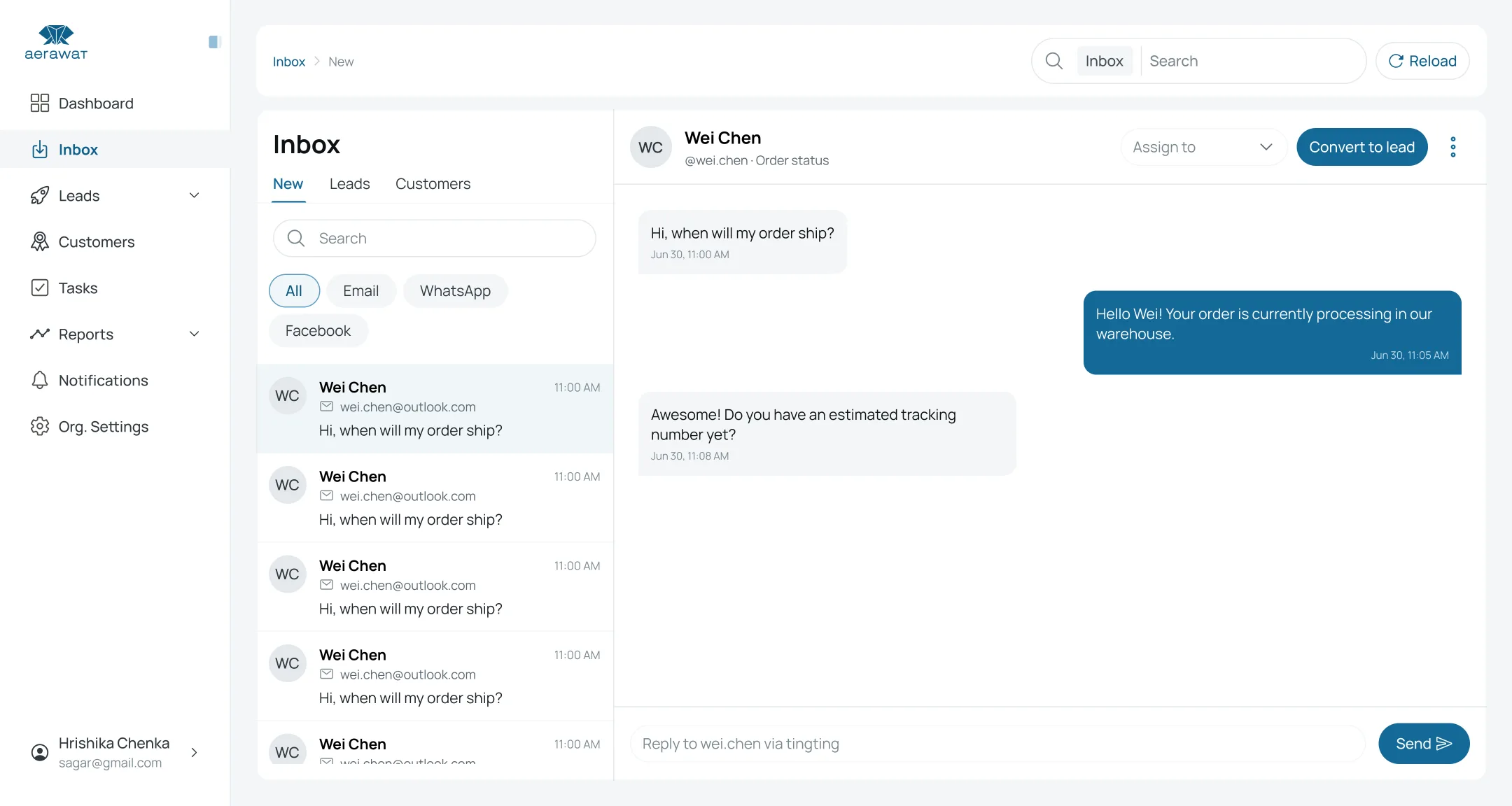
Every message lands in one inbox.
WhatsApp, email, Facebook and website enquiries arrive in a shared, real-time inbox — filtered by channel, with unread counts and replies routed back to the right place.
- Live over WebSockets
- Reply with text or files
- Multiple accounts per channel
Convert
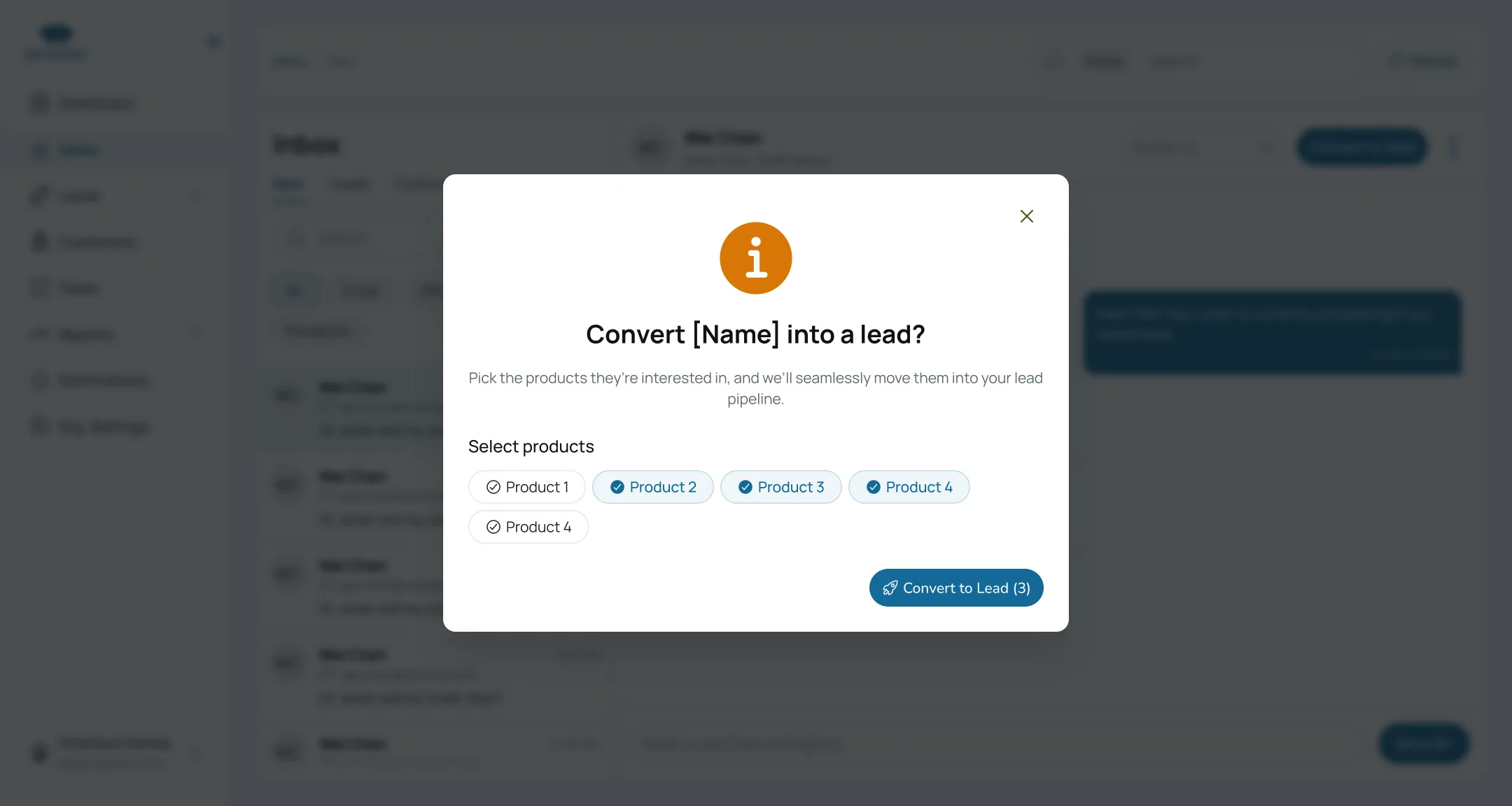
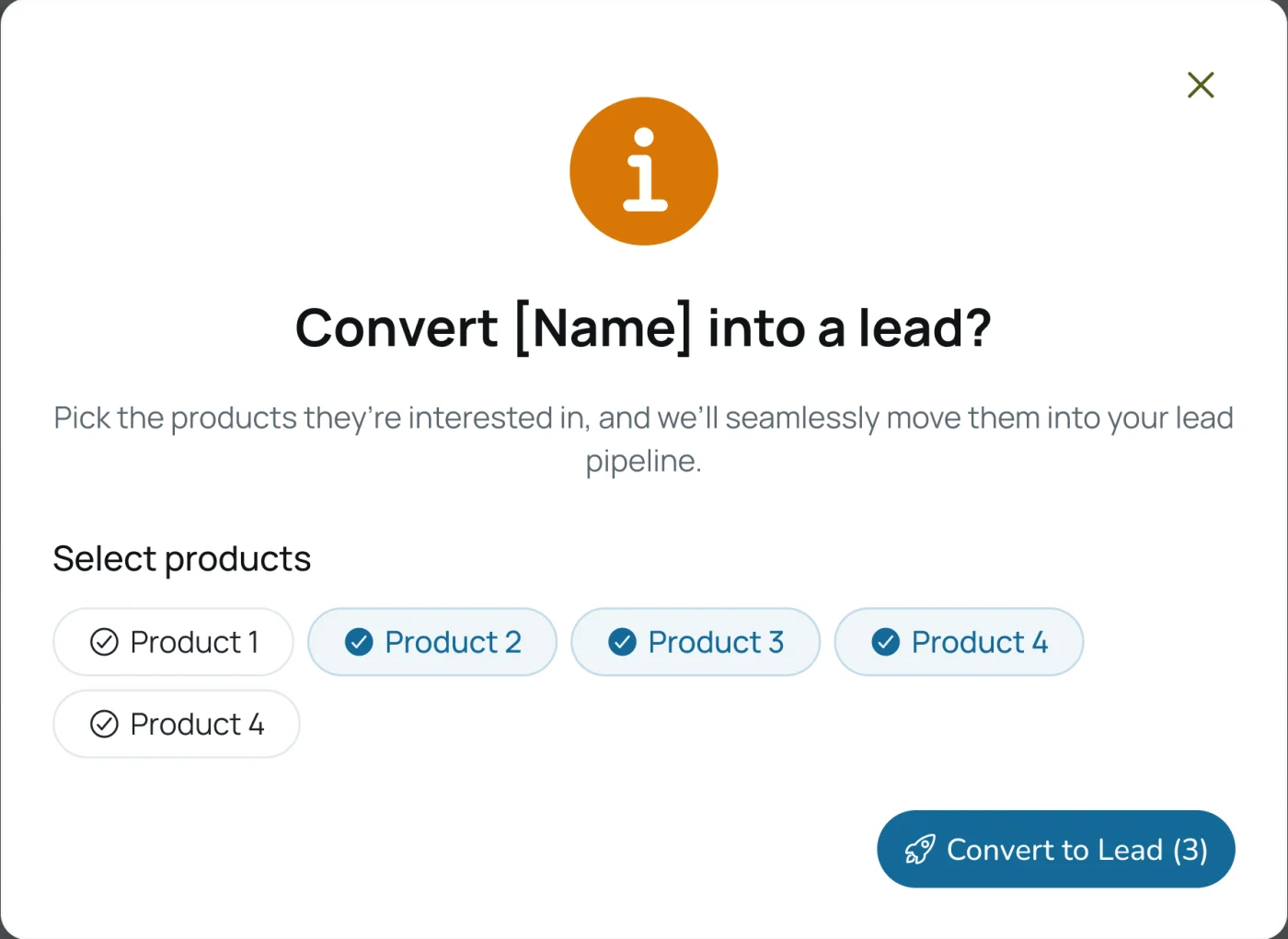
Turn a conversation into a lead.
One click moves a contact into your pipeline. Pick the products they asked about and LR3 opens a separate deal for each one.
- One deal per product
- Individual or company leads
- Cold, warm or hot
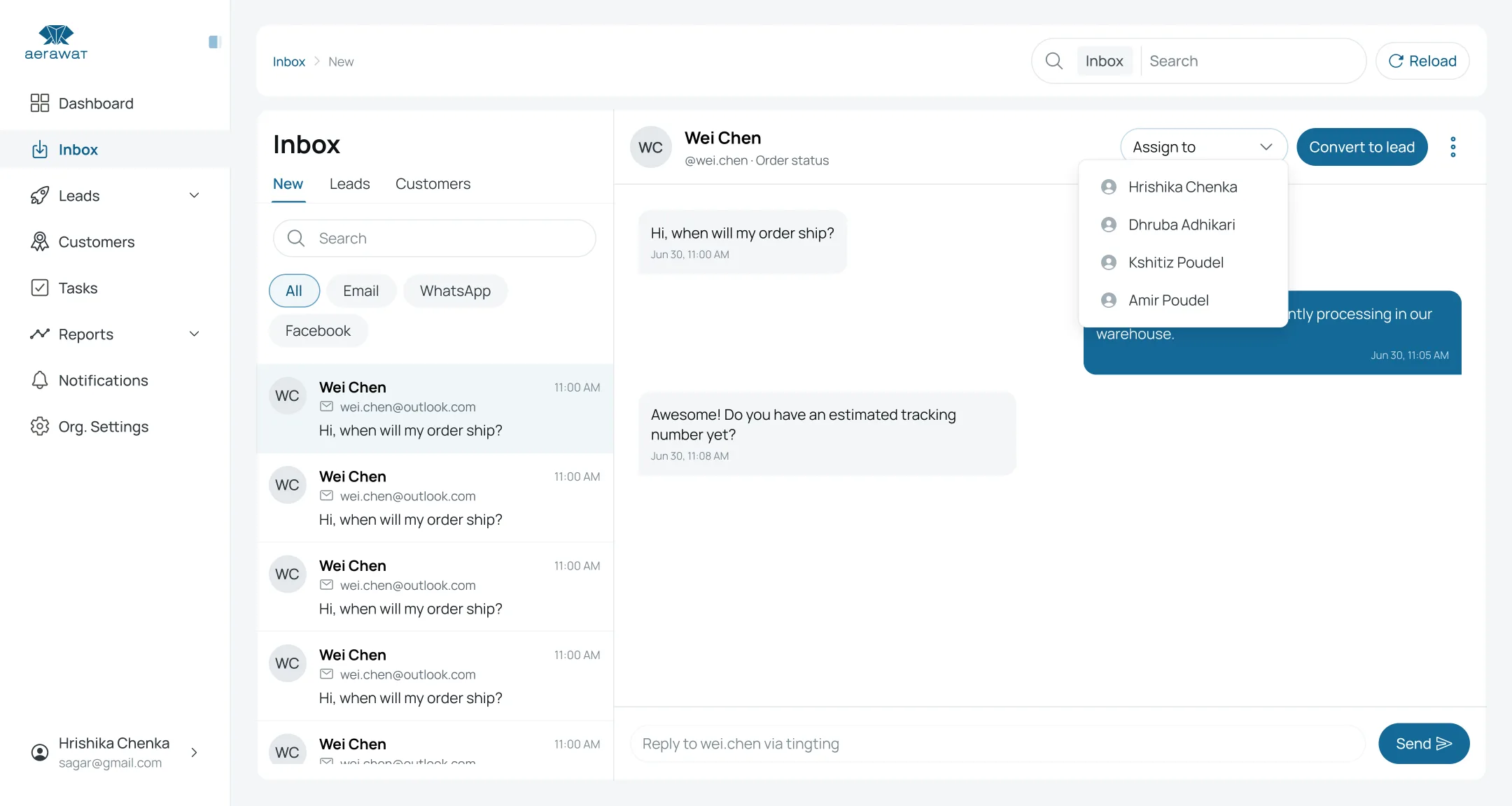
Assign
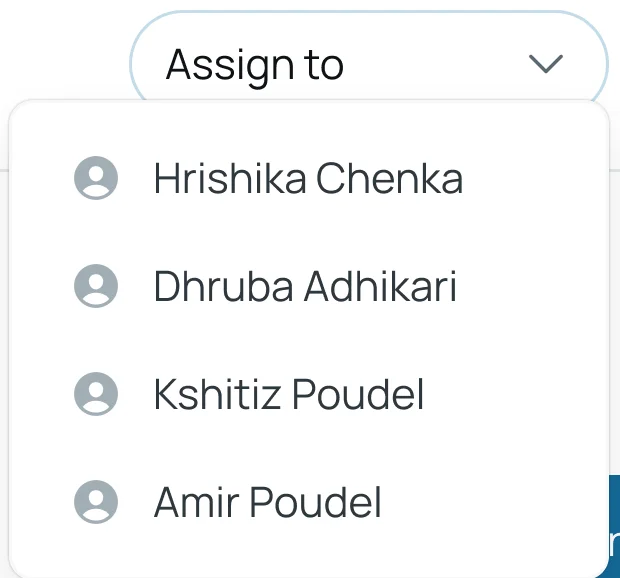
The right teammate, automatically.
Assign by hand, rotate round-robin, or set smart rules that route new deals by an agent’s wins or current load.
- Round-robin rotation
- Smart assignment rules
- Per-product agent rosters
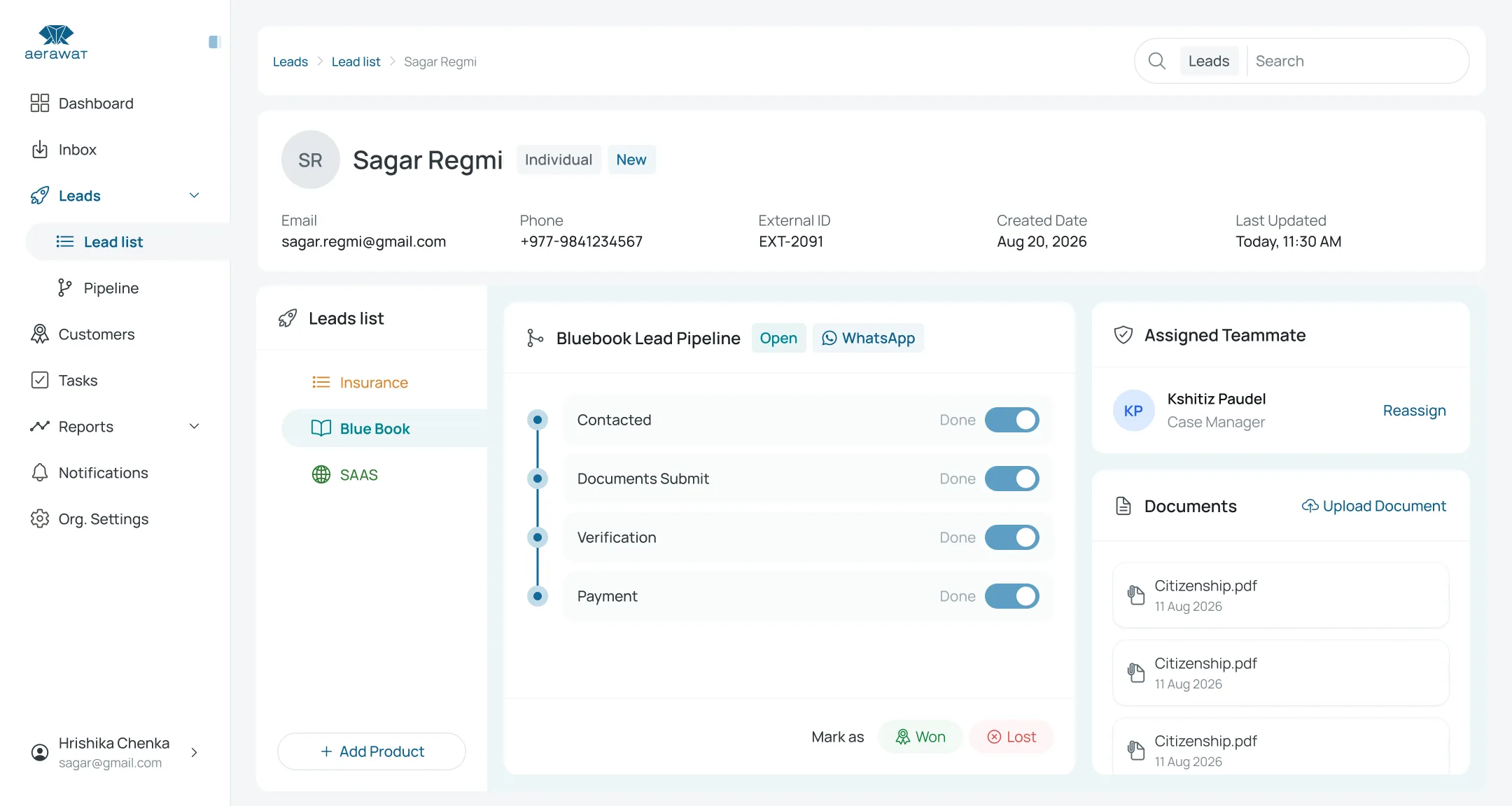
Track
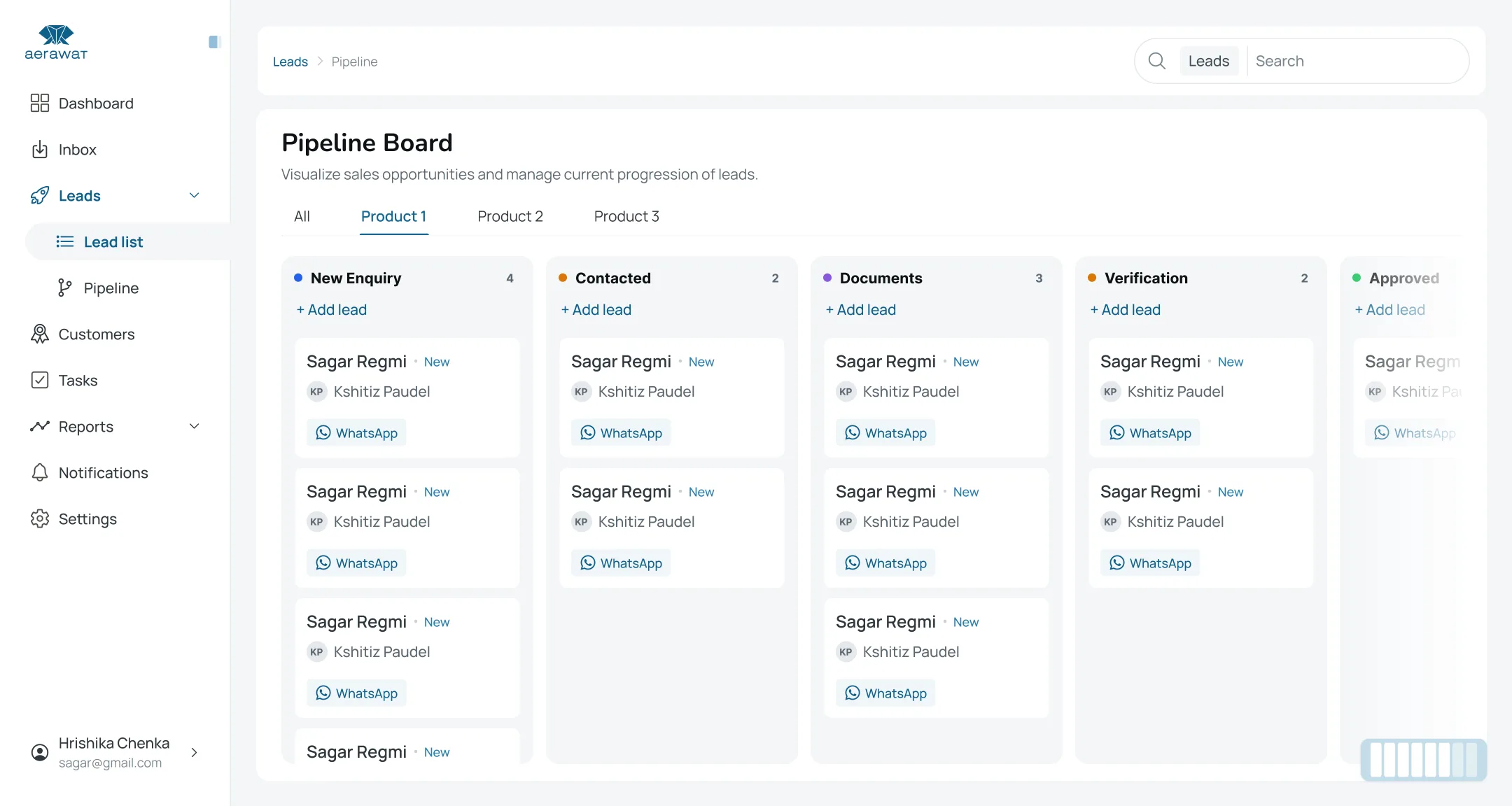
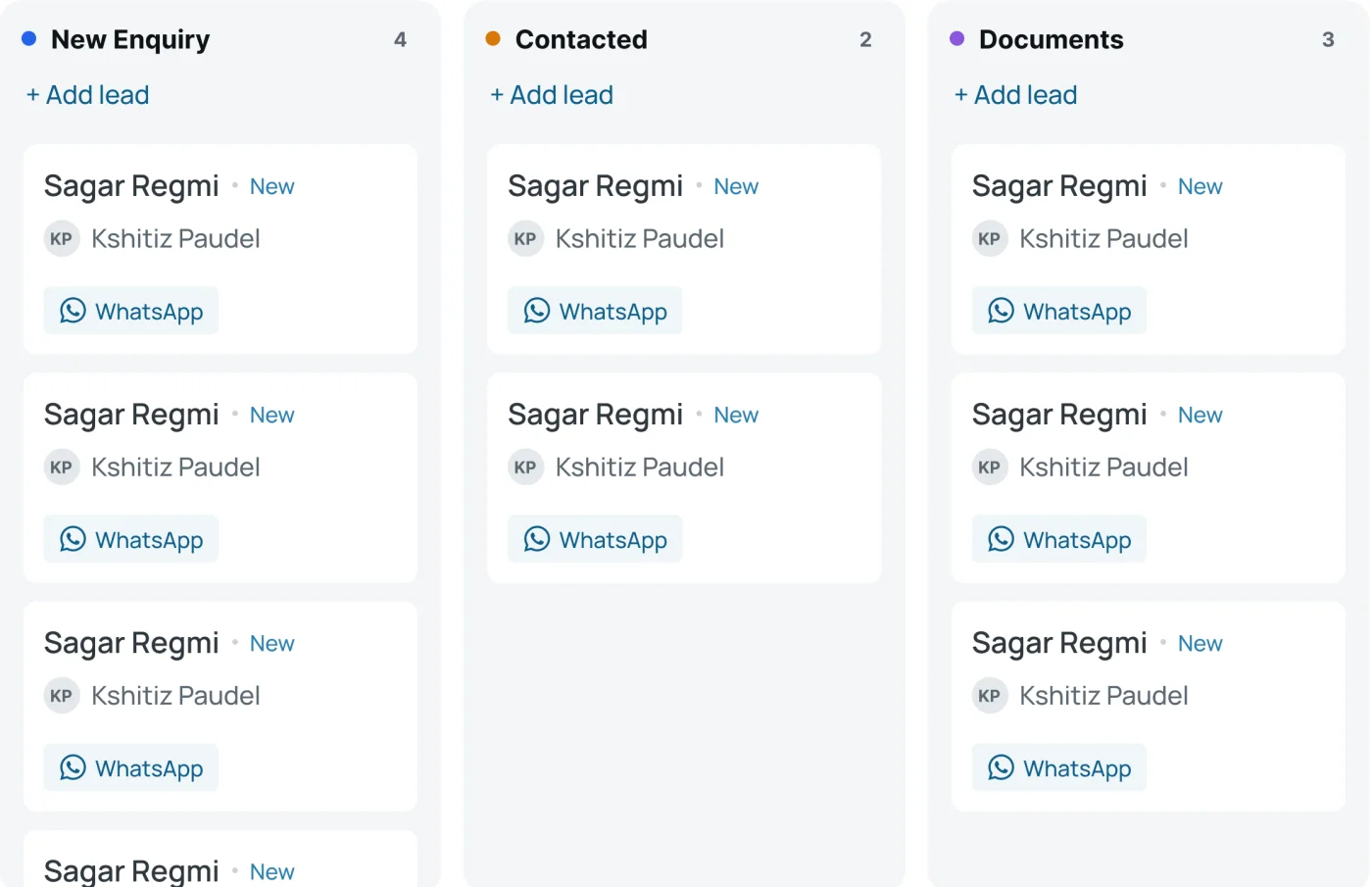
A pipeline for every product.
Each product runs its own board with stages you define. Rename, reorder and require a note before a deal can move on.
- Configurable stages
- Grouped or spreadsheet view
- Open, won and lost at a glance
Win
Close the deal. Get a customer.
Mark a deal won and the lead becomes a customer — no re-keying. Lost deals keep their reason and can be reopened when the prospect comes back.
- Automatic lead → customer
- Lost reasons captured
- Reopen lost deals
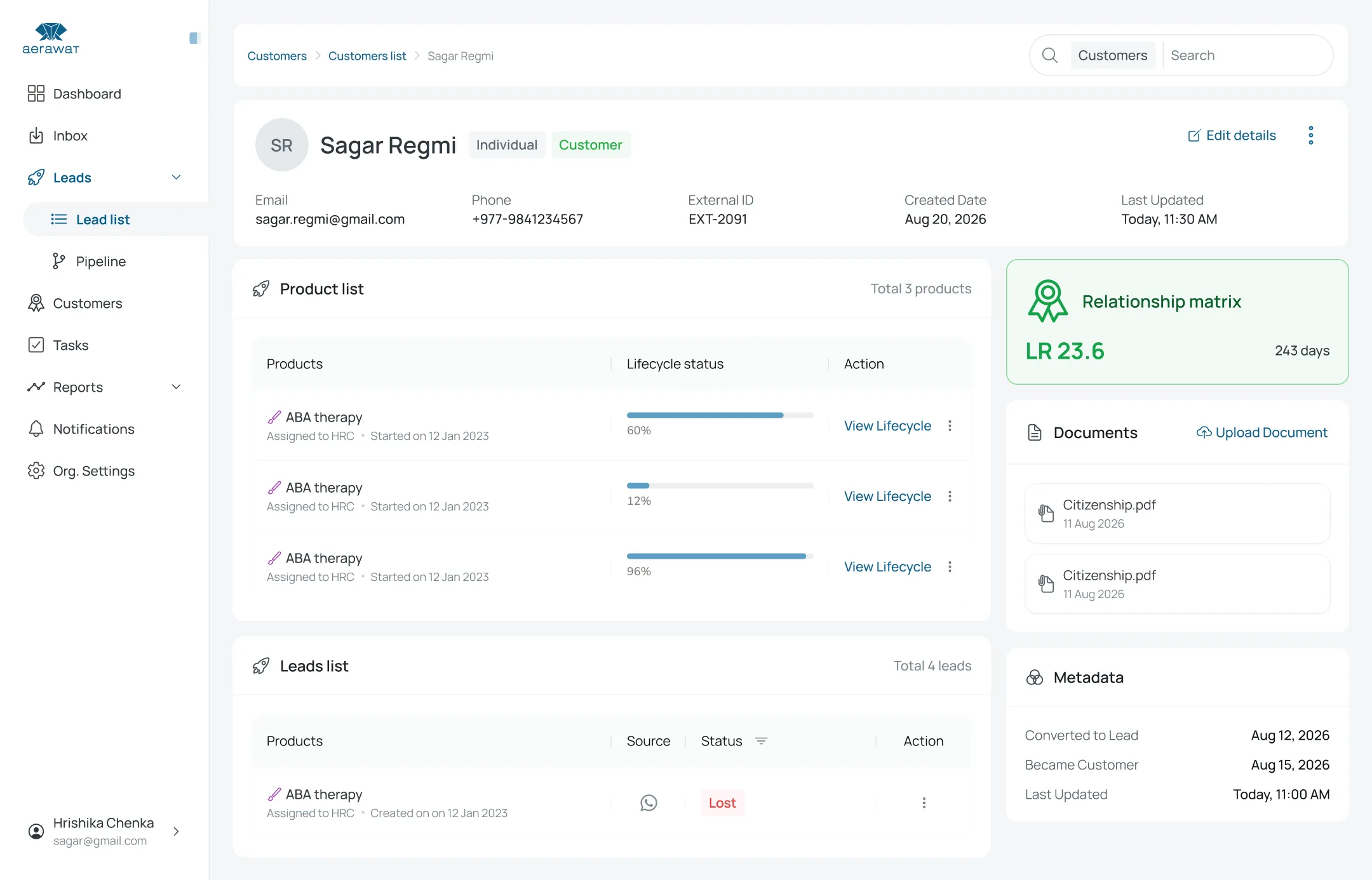
Onboard
Onboarding starts on its own.
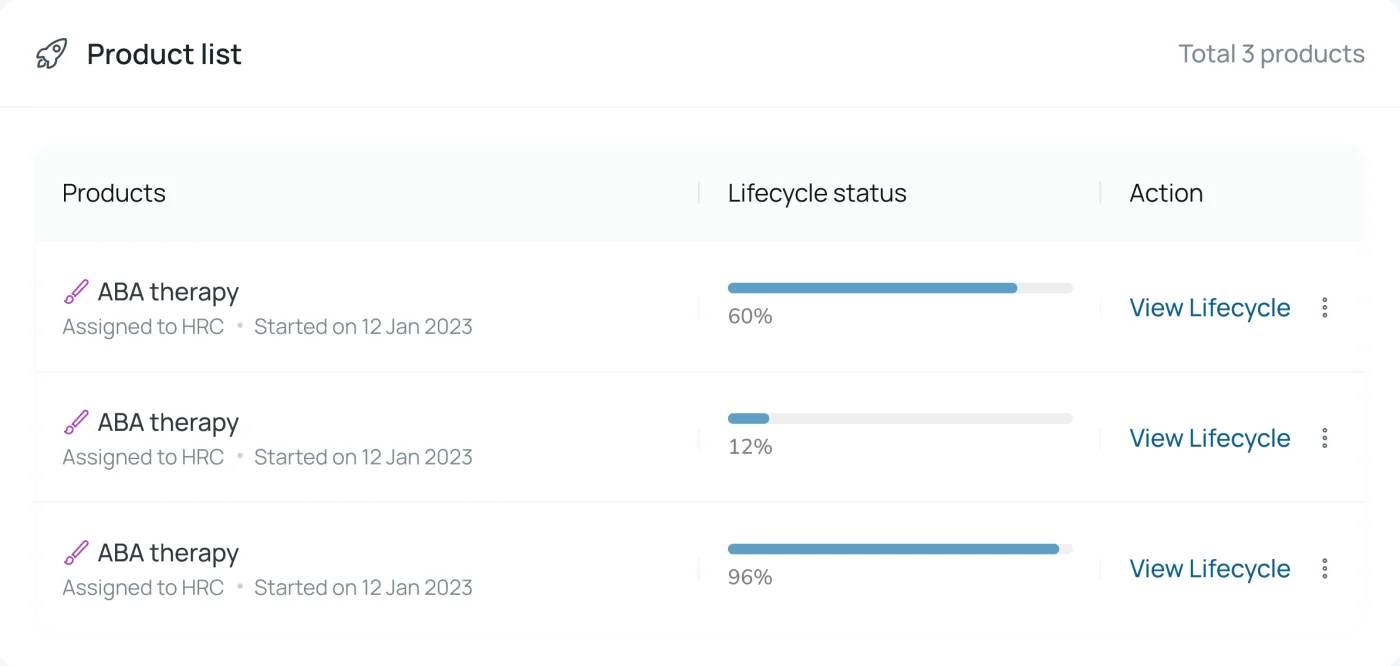
Winning kicks off that product’s lifecycle checklist. Track progress per product, keep documents on the record, and see what’s blocked or overdue.
- Lifecycle per product
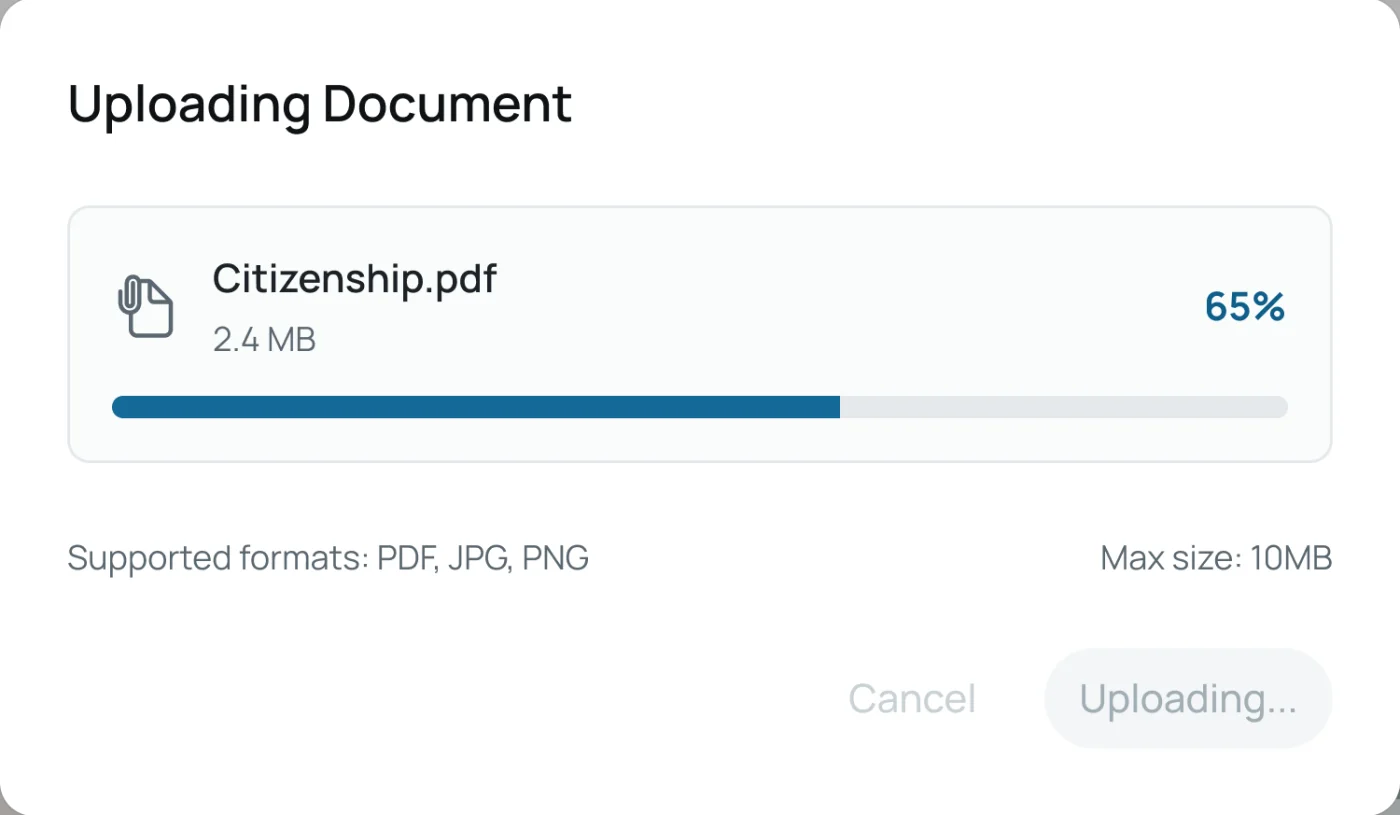
- Documents on the record
- Churn and reactivate per product
AOmnichannel inbox
One inbox. Every channel.
- The problem
- Enquiries are split across WhatsApp, email and web forms. Replies go out from personal phones and nobody knows who answered what.
- With LR3
- Connect your channel accounts once. Messages become shared conversations you can assign, reply to from LR3 and convert into leads — without leaving the thread.
- WhatsApp via Meta Cloud API or Sparrow
- Email over IMAP / SMTP with threading
- Website forms & API-key webhooks
- Real-time updates and unread counts
BPer-product pipelines
A deal for every product they want.
- The problem
- One customer interested in three products becomes one messy deal — and nobody can tell which product is stuck.
- With LR3
- LR3 opens a pipeline per lead and product. Each product has its own stages, its own agents and its own outcome, so one can be won while another is still in follow-up.
- Stages you add, rename and reorder
- Require a note to move a stage
- Round-robin and smart assignment
- Lost reasons, reopen and archive
Assignment
Pick a teammate
CCustomer lifecycle
The sale is where the work starts.
- The problem
- After a deal closes, onboarding lives in spreadsheets and memory. Documents go missing and steps get skipped.
- With LR3
- Each product defines a lifecycle of phases, steps and required documents. Winning a deal starts it automatically, blocked steps stay blocked, and overdue work is obvious.
- Phases, steps and requirements
- Dependency-gated progress
- Documents stored on the record
- Churn and reactivate per product
Lifecycle · one product
phases → steps → requirements
- 1
Onboarding
Completed- Contract signed
- Document verified
- 2
Financials
Started- Payment received
- Invoice sent
- 3
Service
Pending- Kick-off call
- First review
Service waits until Financials is complete — dependencies are enforced.
Example phases from LR3’s default lifecycle. Every product can define its own.
AI, where it helps
Intelligence on top of your real records.
Not a chatbot bolted to the side. AI in LR3 reads the same organization-scoped data your team works with.
Call intelligence
Illustrative exampleEvery call, summarised.
Phone systems post call logs to LR3 over signed webhooks. Each call is stored with an AI summary, whether it was resolved, and a satisfaction score — plus per-caller history.
AI summary
MCP server
Illustrative exampleAsk your CRM in plain language.
LR3 ships a Model Context Protocol server so AI assistants can look up leads, customers, products and pipeline stages — read-only, authenticated, and scoped to your organization.
›
✓ read-only · scoped to your organization
- get_my_profile
- get_leads
- get_lead_detail
- get_customers
- get_customer_detail
- get_products
- get_pipeline_statuses
The platform underneath
Built for teams that need control.
Every record belongs to one organization and is invisible to others. On top of that: roles, hierarchy, audit and reporting.
Roles & permissions
Everyone sees exactly what they should.
Access is set per module, per action and per scope. People can hold several roles; the most permissive scope wins. Lists filter themselves.
Scope for Leads · read
create · read · update · delete
Only records assigned to me
- Leads
- Customers
- Lifecycle
- Products
- Inbox
- Reports
- Forms
- Users & roles
Reporting hierarchy
Teams see their team.
A manager with team scope sees everyone who reports to them — at any depth.
Activity log
A full audit trail.
Meaningful actions are recorded with who did what, and what changed.
Bulk import
Bring your list.
Leads or customers from a file, validated row by row.
- Pending
- Parsed
- Imported
Failed rows are reported, never silently dropped.
Dashboard & reports
Know where things stand.
Headline counts on the dashboard, plus permission-gated reports filterable by date, product and category.
- Leads by product
- Lead status summary
- Conversion rate
- Agent performance
- Follow-ups due today
- Ageing report
Custom fields
Each product asks its own questions.
- Text
- Number
- Date
- Boolean
- URL
- Dropdown
Tasks & follow-ups
Nothing slips.
Tasks, notes, scheduled follow-ups and in-app notifications for assignments and lifecycle events.
Follow-ups due today
Pricing
Simple pricing that grows with your team.
A base annual license plus a monthly fee per licensed seat. All amounts in Nepali Rupees (NPR).
Starter
Up to 10 seats
Rs 25,000
base annual license
- Per seat / month
- Rs 1,000
- Renewal base license
- 25% off
- Customer records
- Up to 50,000
Business
Up to 25 seats
Rs 2,00,000
base annual license
- Per seat / month
- Rs 1,000
- Renewal base license
- 25% off
- Customer records
- Up to 2,00,000
Enterprise
More than 25 seats
Rs 3,00,000
base annual license
- Per seat / month
- Rs 2,000
- Renewal base license
- 25% off
- Customer records
- Unlimited
- Seat fee applies to
- All seats
Estimate your annual cost
8
20,000
Plan
Set by seats and records
Starter
- Base annual license
- Rs 25,000
- Seat fee (8 × Rs 1,000 × 12 months)
- Rs 96,000
- Year one
- Rs 1,21,000
- Renewal base license (25% off)
- Rs 18,750
- Each renewal year
- Rs 1,14,750
Renewal base license is charged at 25% off the public base license price in effect at the time of renewal. Renewal estimates use today’s prices. The Enterprise seat fee applies to all seats.
Stop juggling tools. Start closing the loop.
Bring your conversations, pipelines and onboarding into one place. See LR3 with your own products and stages.
Request a demo
We’ll walk you through LR3 with your use case.